Almost every host now includes a free SSL certificate, so “free SSL” alone no longer tells you which host to pick. What matters is what that certificate covers, what the plan really costs once the intro price ends, and whether you get stuck with extras you did not want.
We checked the official plan pages of ten hosts we have reviewed on Hosting Engines. Below you get a plain explanation of what free SSL means, a ranked list with real prices and renewal rates, and a quick way to confirm your own padlock works.
Quick answer
Nearly every host includes free SSL, so choose on the price after renewal and on fit. Hostinger is our best all-round pick, Bluehost suits WordPress beginners, SiteGround wins on support, and ScalaHosting offers free wildcard SSL on request. A free certificate is plenty for blogs and normal online shops.
Key takeaways
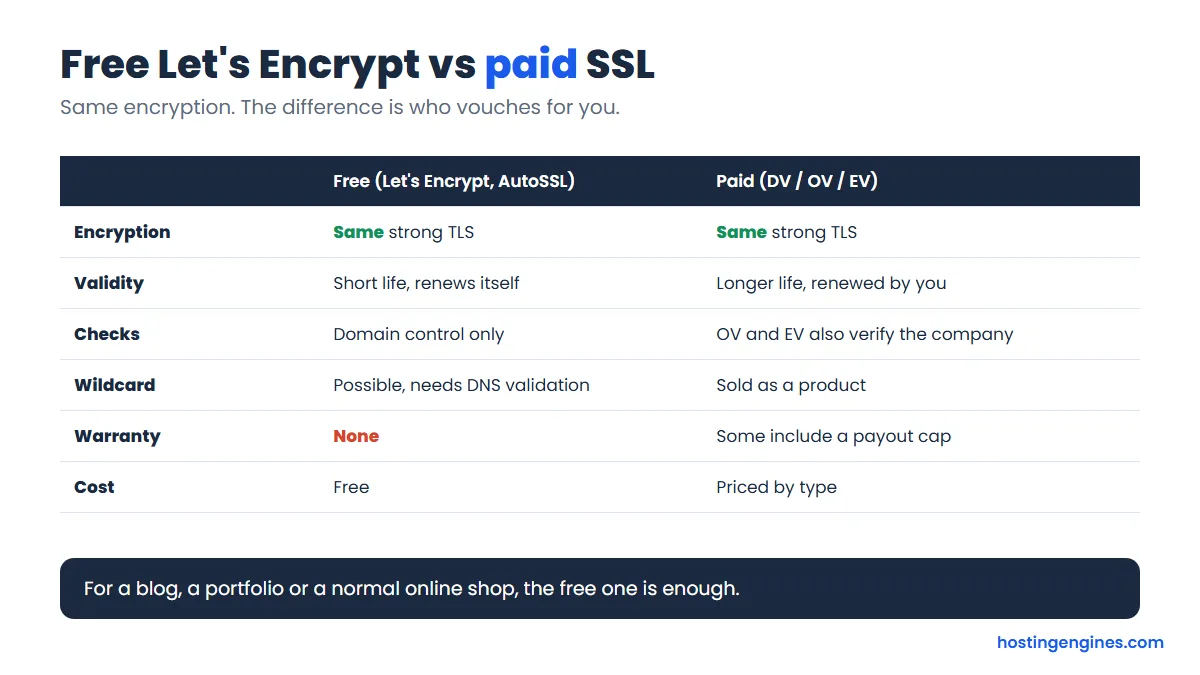
- Free SSL from Let’s Encrypt and similar authorities uses the same encryption as paid certificates.
- The real differences are renewal price, wildcard support, and whether the certificate renews itself.
- Intro prices need a 3 or 4 year term at several hosts. Renewals run roughly 3 to 6 times higher.
- Namecheap’s free certificate lasts one year only. Every other host here keeps it free.
Our top picks at a glance
Prices are per month in US dollars, from each provider’s own pricing page. The first number is the intro price, the second is what you pay when the term renews. Some hosts show a seasonal sale, so your checkout can differ a little.
| # | Host | Intro price (term) | Renews at | Free SSL | Best for |
|---|---|---|---|---|---|
| 1 | Hostinger | $2.49 (48 months) | $10.99 | Every plan, auto-installed | Lowest long-term price |
| 2 | Bluehost | $3.99 (36 months) | $9.99 | Let’s Encrypt, all plans | WordPress beginners |
| 3 | SiteGround | $2.99 (12 months) | $17.99 | Let’s Encrypt, wildcard too | Support and speed tools |
| 4 | DreamHost | $2.89 (1 year) | $10.99 | Free SSL, no wildcard | Month-to-month option |
| 5 | Hosting.com | $1.99 (4 years) | $13.99 | Let’s Encrypt, auto-renews | Fast shared plans |
| 6 | ScalaHosting | $2.95 (36 months) | $11.95 | Let’s Encrypt, wildcard on request | Wildcard SSL for free |
| 7 | ChemiCloud | $1.95 (3 years) | $11.95 | Free SSL on every plan | Cheap start, 45-day refund |
| 8 | InMotion Hosting | $4.79 (intro term) | $14.99 | Free SSL on every plan | 90-day refund, free extras |
| 9 | Cloudways | From $11 (no contract) | Same, pay as you go | Free Let’s Encrypt | Growing sites, managed cloud |
| 10 | Namecheap | $2.28 (1 year, after a 30-day trial) | $5.88 | Free for the first year only | Tight budgets, short projects |
What does free SSL really mean?
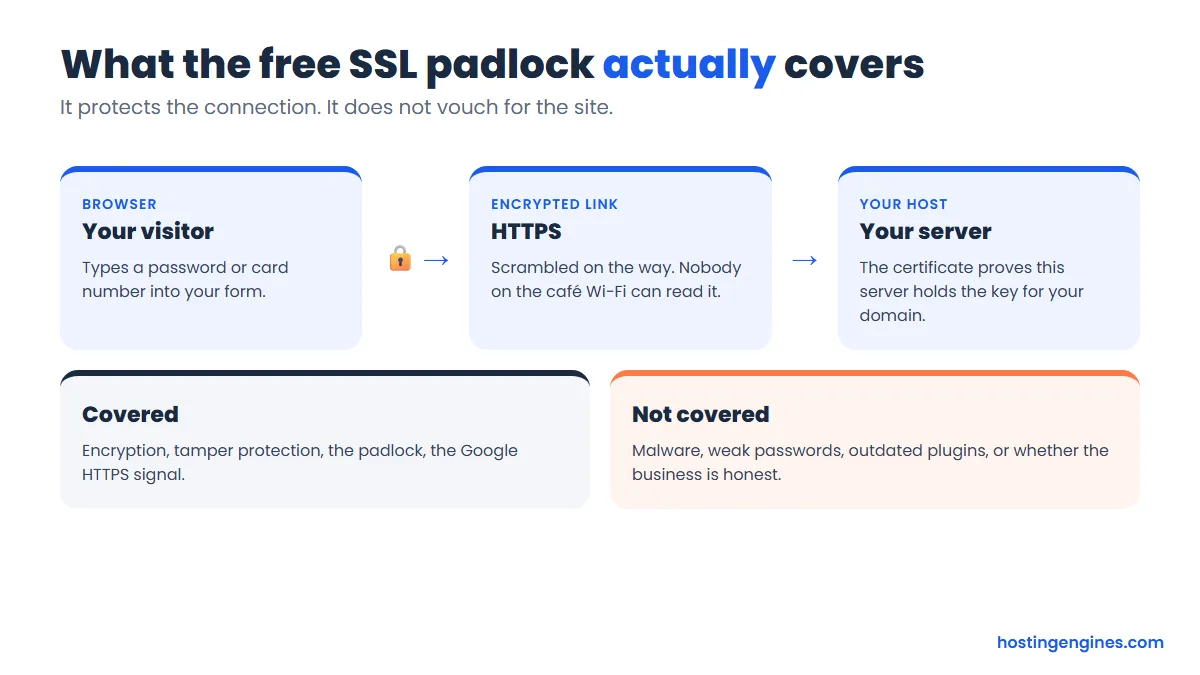
Free SSL means your host installs a certificate for your domain at no extra charge, so your site loads over HTTPS and shows a padlock. Most hosts get it from Let’s Encrypt, a nonprofit authority, and renew it automatically in the background.
Strictly speaking the name is outdated. The modern protocol is TLS, but everyone still says SSL. If you want the full background, our guide to SSL and TLS certificates covers how the handshake works.
A few terms you will meet on host pages:
- Let’s Encrypt: a free authority. Its certificates are valid for 90 days and are meant to renew automatically.
- AutoSSL: a cPanel feature that issues and renews certificates for every domain on your account. On current cPanel versions it uses Let’s Encrypt by default.
- Wildcard: one certificate for your domain and all its subdomains (for example shop.example.com and blog.example.com). Let’s Encrypt supports it, but the host has to validate through DNS, so many hosts leave it out.
- Domain validation (DV): the authority checks only that you control the domain. Free certificates are all DV.
Is free SSL as good as paid SSL?
Yes for most sites. A free certificate encrypts traffic exactly as strongly as a paid one, and browsers show the same padlock. Paid certificates add company identity checks, a warranty and wildcard options, which matter mainly to banks, large stores and regulated businesses.
Does it help rankings? HTTPS is a small Google signal, and having none costs you trust more than rank. We looked at the evidence in whether an SSL certificate boosts your ranking.
Where free SSL can bite is the fine print. Some hosts give the certificate free but charge for wildcard, extra domains or an upgraded type. ScalaHosting, for example, lists a paid RapidSSL at $30 a year and a paid wildcard at $149 a year next to its free option. You only need those if you want a company name in the certificate or a warranty.
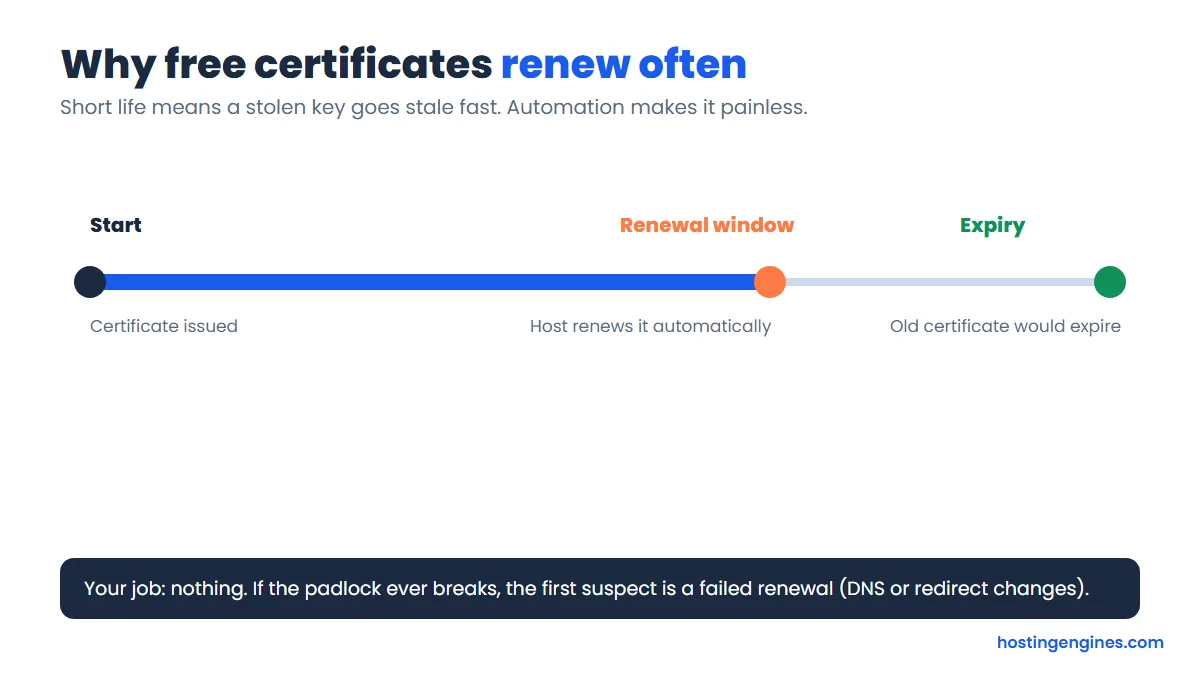
Because free certificates last 90 days, the renewal must be automatic. If the padlock suddenly vanishes, a failed renewal is the usual cause, often after a DNS or redirect change.
How did we pick these hosts?
We started with hosts we have already reviewed on Hosting Engines, then opened each one’s official pricing page and checked five things. Where a page would not load or did not state a fact, we say so instead of guessing.
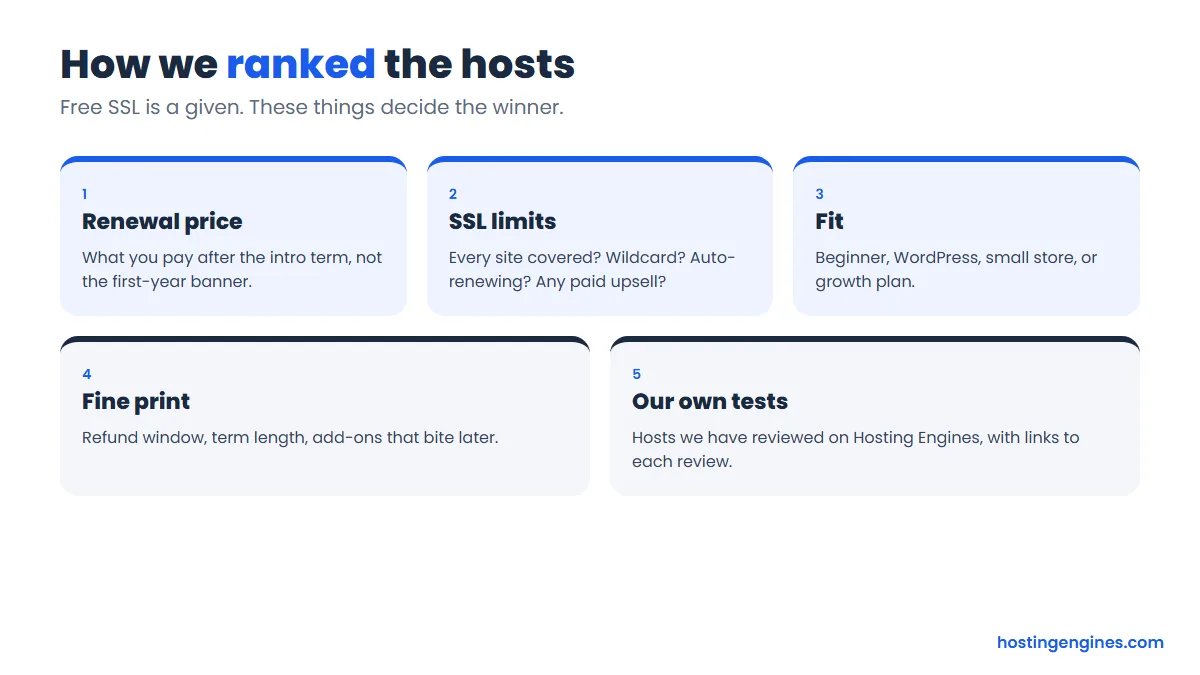
- Renewal price: the number you pay after the intro term, not the banner.
- SSL limits: every site covered, wildcard, automatic renewal, paid upsells.
- Fit: who the plan really suits, from beginner blogs to growing shops.
- Fine print: refund window, required term length and free extras that end after year one.
- Our tests: we link each host’s full review so you can see speed, support and uptime results.
Two honest notes. Hostinger and ChemiCloud were showing seasonal sale prices when we checked, so their intro numbers can change. And InterServer and HostGator did not make the list: InterServer’s plan page only says “SSL support” without naming the certificate, and we could not confirm HostGator’s wildcard or renewal details.
The 10 best web hosts with free SSL
1. Hostinger: best overall value
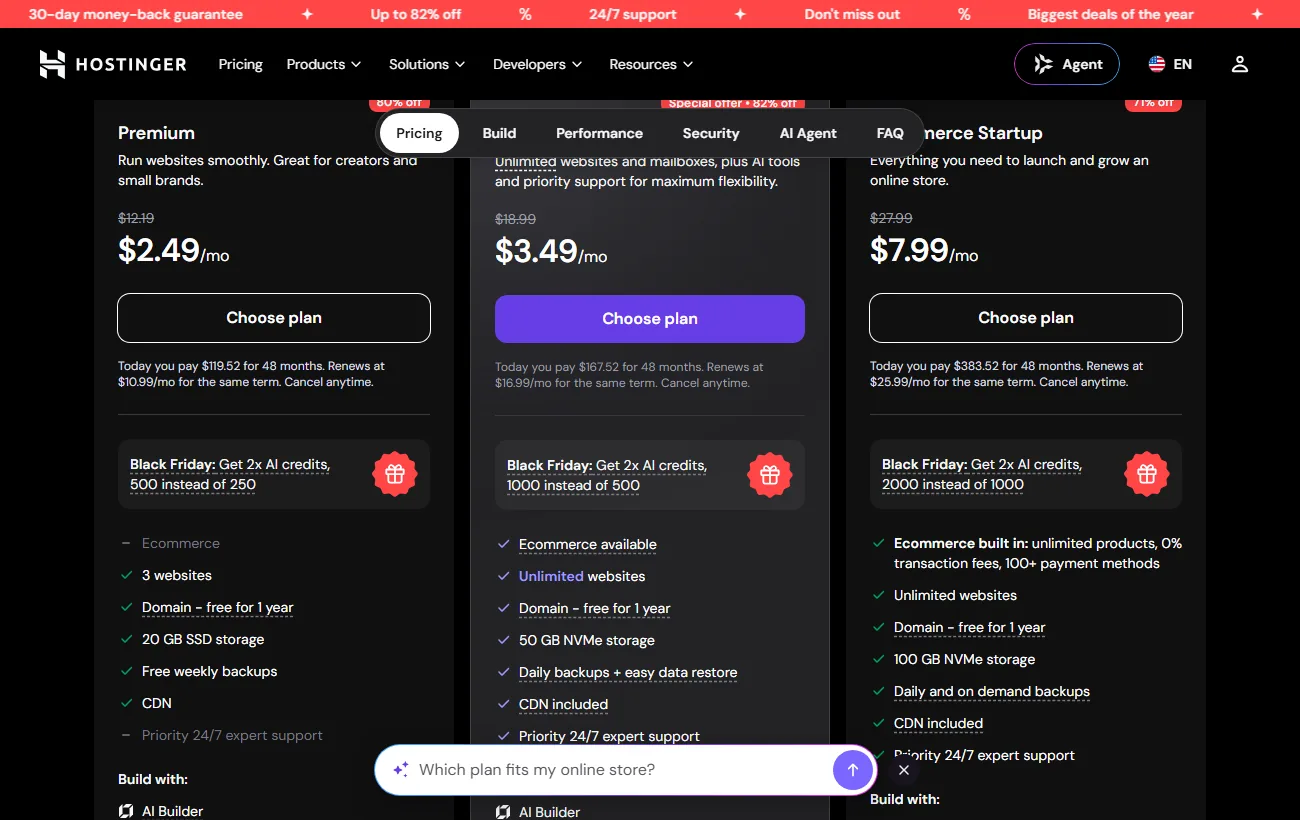
Hostinger is our pick if you want the lowest price and are happy to commit for a few years. Its Premium plan was $2.49 a month on a 48 month term during a seasonal sale, renewing at $10.99. The Unlimited-style tier above it costs $3.49 and renews at $16.99.
- SSL: free on every plan, installed automatically. Hostinger’s plans page does not name the issuer, and it does not mention wildcard.
- Refund: 30 days. A free domain for the first year is included.
- Watch out for: the long 48 month commitment and a renewal about four times the intro price.
Read our Hostinger review for speed and support results.
Hostinger coupon: Enter HOSTINGENGINES10 at checkout for an extra 10% off any 12, 24 or 48-month plan. It’s our readers’ code: click the Hostinger button below first, then add the code in the cart.
2. Bluehost: best for WordPress beginners
Bluehost is an officially recommended WordPress host and its checkout is easy for first-timers. Starter costs $3.99 a month on a 36 month term and renews at $9.99. Business is $6.99 and renews at $13.99.
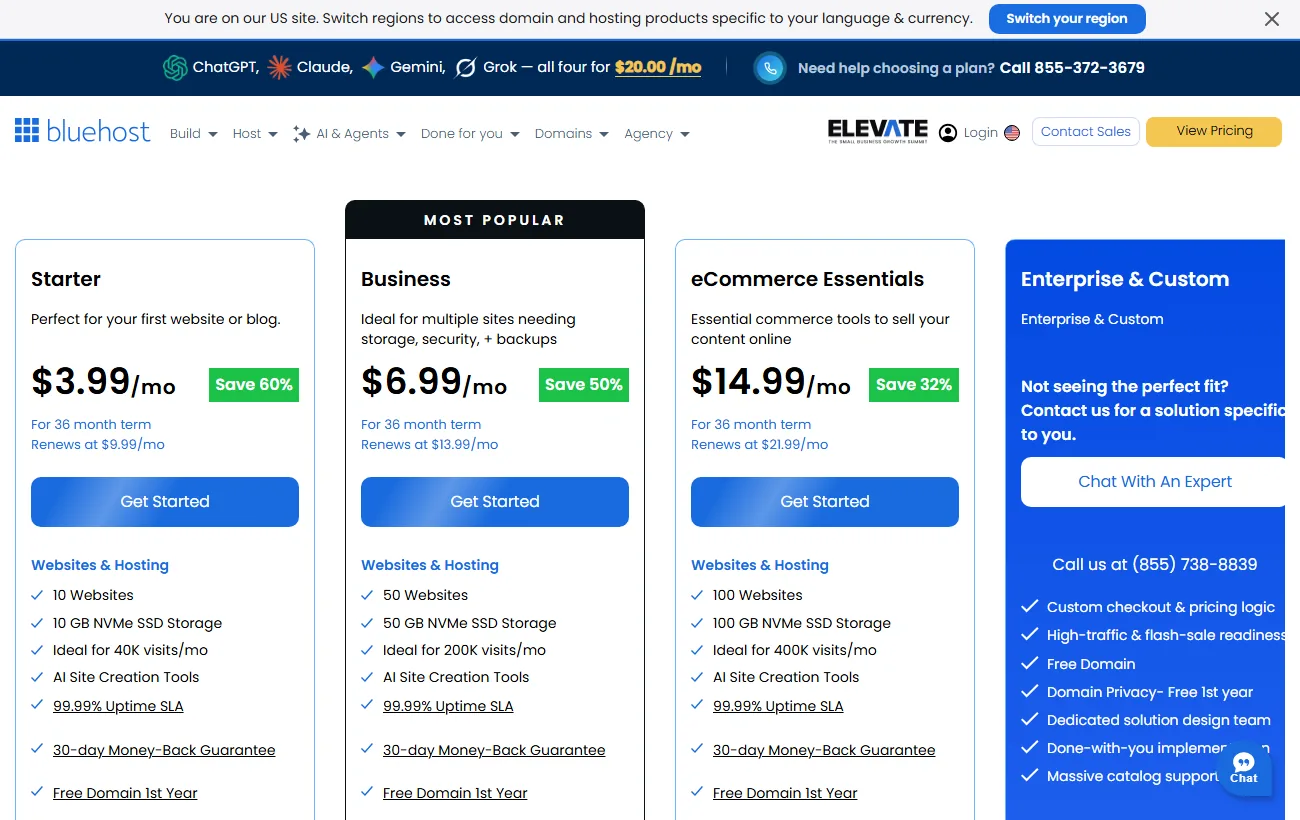
- SSL: free Let’s Encrypt SSL listed on all three plans.
- Paid option: Bluehost also sells DigiCert certificates, priced per month on a 12 month term (a single domain was $3.33 a month when we checked). You do not need one for a normal site.
- Refund: 30 days, with a free domain for the first year.
Details in our Bluehost review. Check Bluehost’s plans.
3. SiteGround: best for support and speed tools
SiteGround costs more over time but gives you strong support and built-in caching. Its StartUp plan starts around $2.99 a month on a 12 month term, and renews at $17.99. That renewal is the highest on this list, so budget for it.
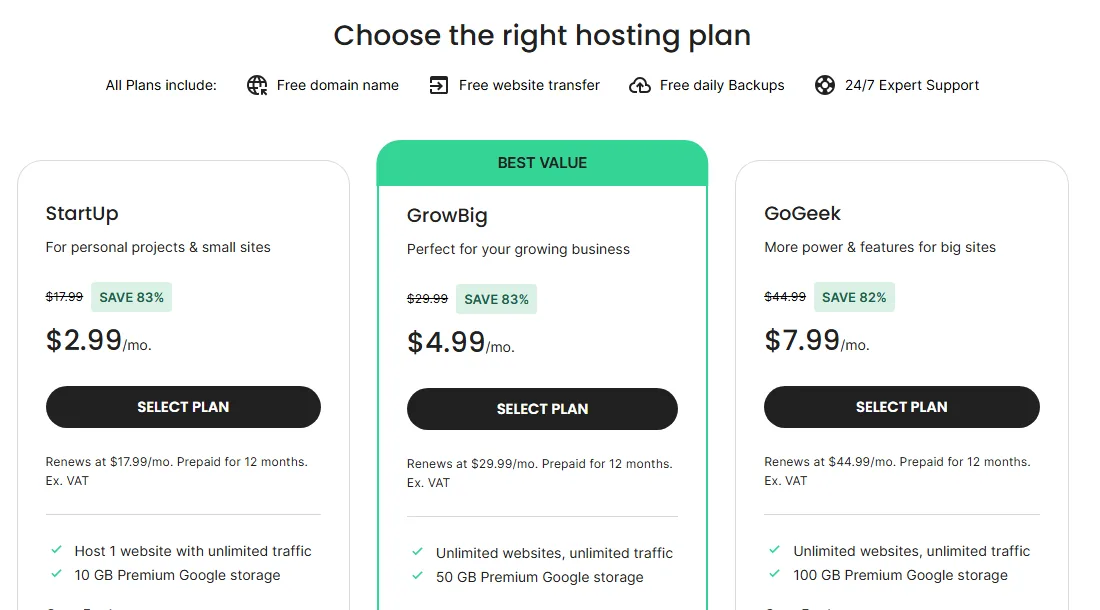
- SSL: SiteGround’s help center describes free Let’s Encrypt certificates, including a free wildcard that renews itself. That help article is older, so confirm the option in your dashboard.
- Refund: 30 days. No free domain on the shared plans we checked.
- Fine print: prices are prepaid for 12 months. Details and test results are in our SiteGround review.
Visit SiteGround to see today’s checkout price.
4. DreamHost: best month-to-month option
DreamHost offers Web Hosting Launch at $2.89 a month for the first year, renewing at $10.99. Monthly billing is also offered, which is rare at this price. You can walk away without a multi-year contract.
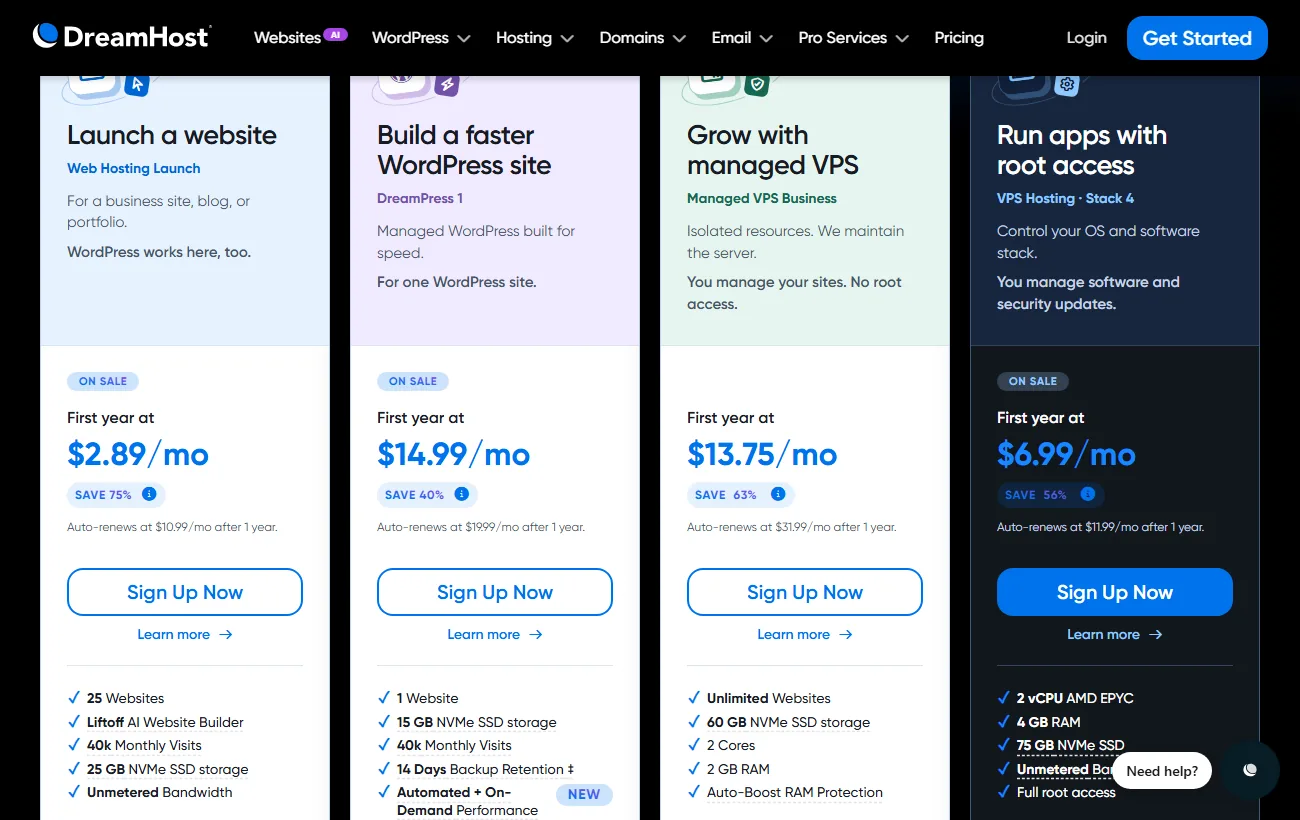
- SSL: a free certificate comes with every Web Hosting account. DreamHost’s help pages say wildcard certificates are not available on this plan.
- Refund: 30 days, per its terms of service.
See our DreamHost review for performance results. View DreamHost plans.
5. Hosting.com: best for fast shared plans
Hosting.com is the former A2 Hosting. Its Starter plan is $1.99 a month on a 4 year term and renews at $13.99, and Pro is $3.79 renewing at $19.99.
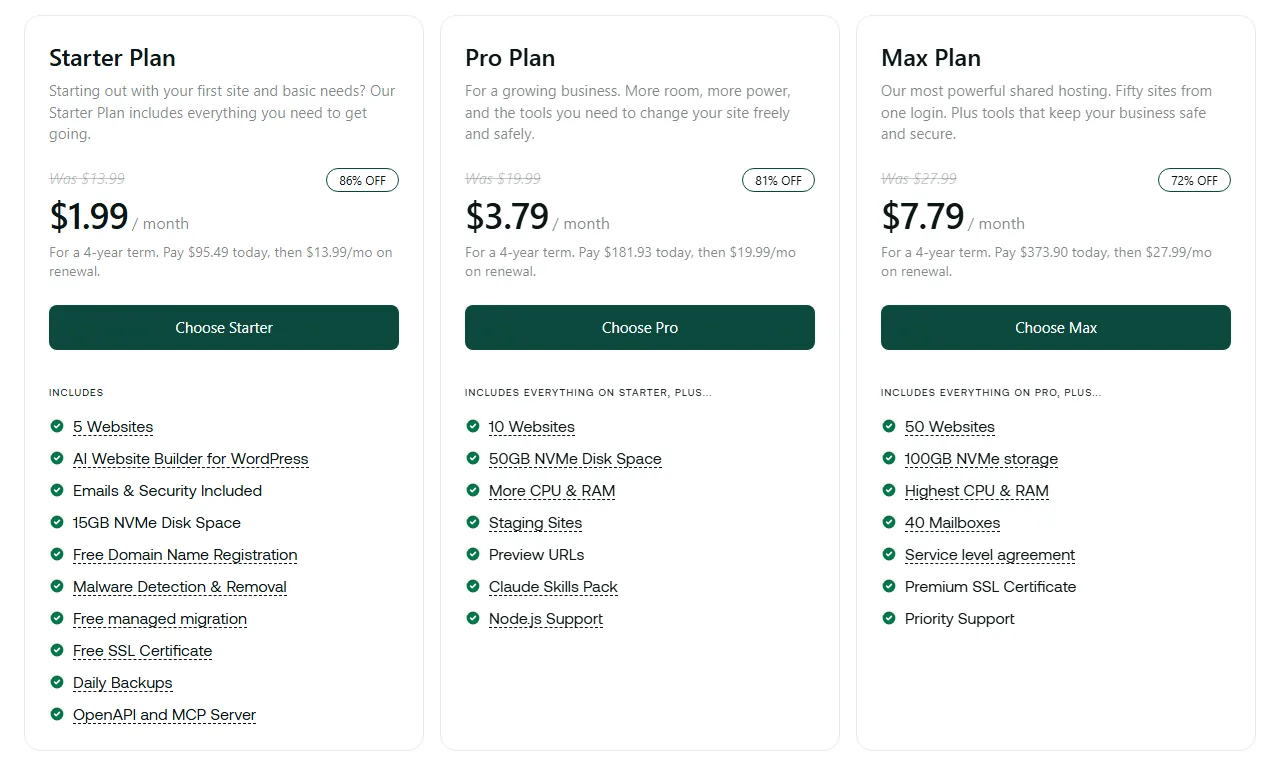
- SSL: free Let’s Encrypt, renewed every 90 days. It covers a single domain, and the top plan adds a premium certificate.
- Refund: 30 days. Its shared plans are not cPanel-based, so AutoSSL does not apply.
Full numbers in our Hosting.com review. See Hosting.com plans.
6. ScalaHosting: best for free wildcard SSL
ScalaHosting’s Mini plan is $2.95 a month and renews at $11.95. Start is $5.95 and renews at $14.95. The intro prices shown are for the 36 month term.
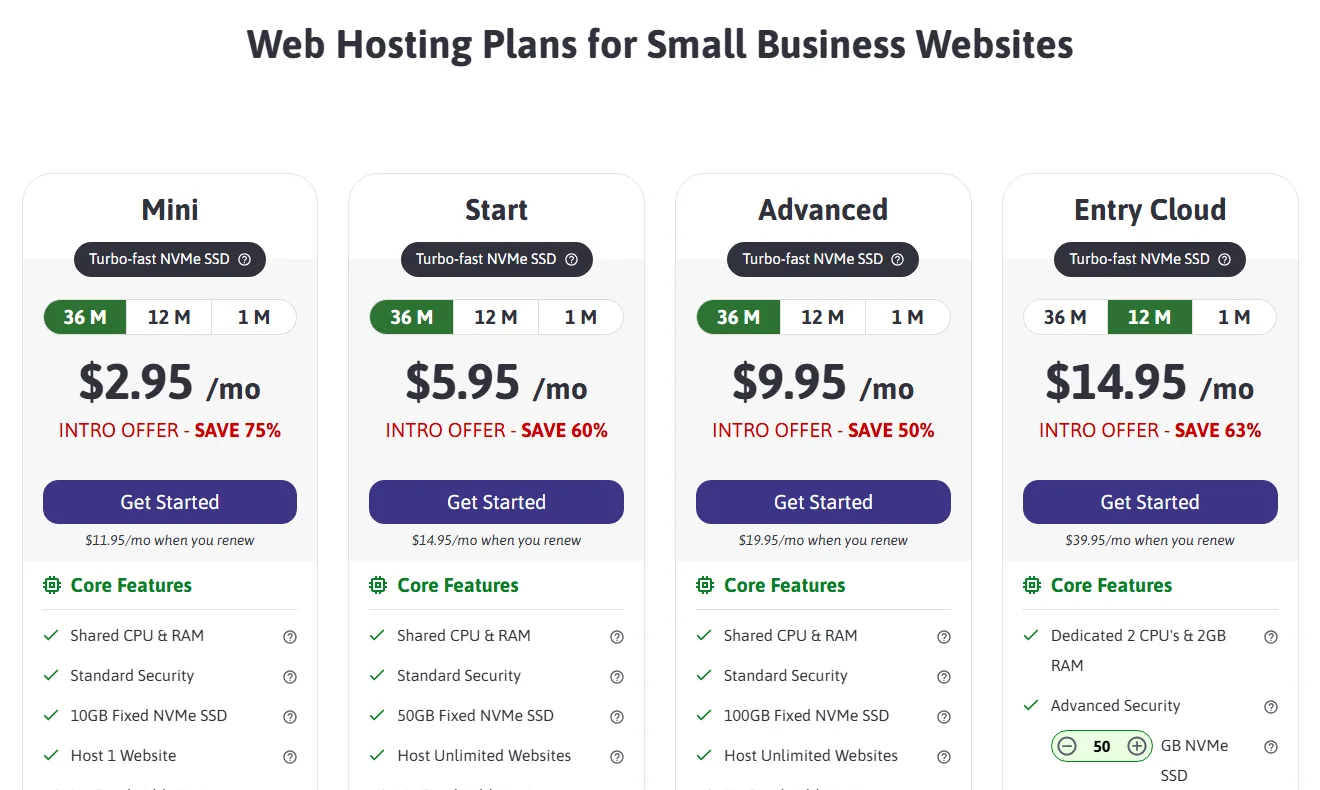
- SSL: free Let’s Encrypt, and a free wildcard on request through support. Paid RapidSSL ($30 a year) and a paid wildcard ($149 a year) are optional.
- Refund: ScalaHosting states a money-back guarantee you can claim “anytime”, so check the exact wording before you buy.
Read the ScalaHosting review or see its plans.
7. ChemiCloud: best cheap start with a long refund
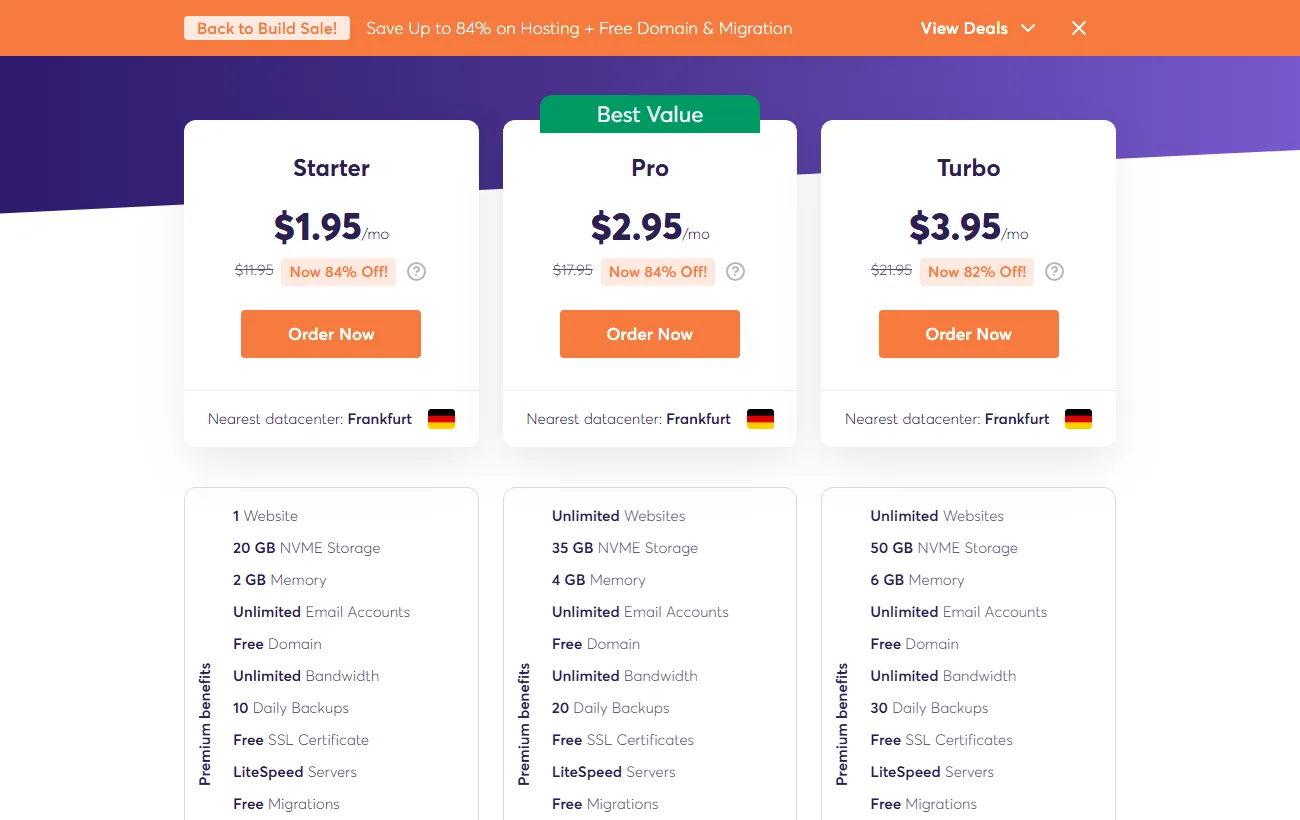
ChemiCloud’s Starter plan was $1.95 a month on a 3 year term during a sale, with a regular price of $11.95. Pro is $2.95 and Turbo $3.95 on sale. The 45 day refund window is longer than most.
- SSL: free SSL certificates on every plan, per the plan page. Wildcard is mentioned in a blog post but we could not confirm it on a current official page.
- Includes: free domain, free migration and daily backups.
Our ChemiCloud review has the renewal details. View ChemiCloud plans.
8. InMotion Hosting: best for a 90-day refund
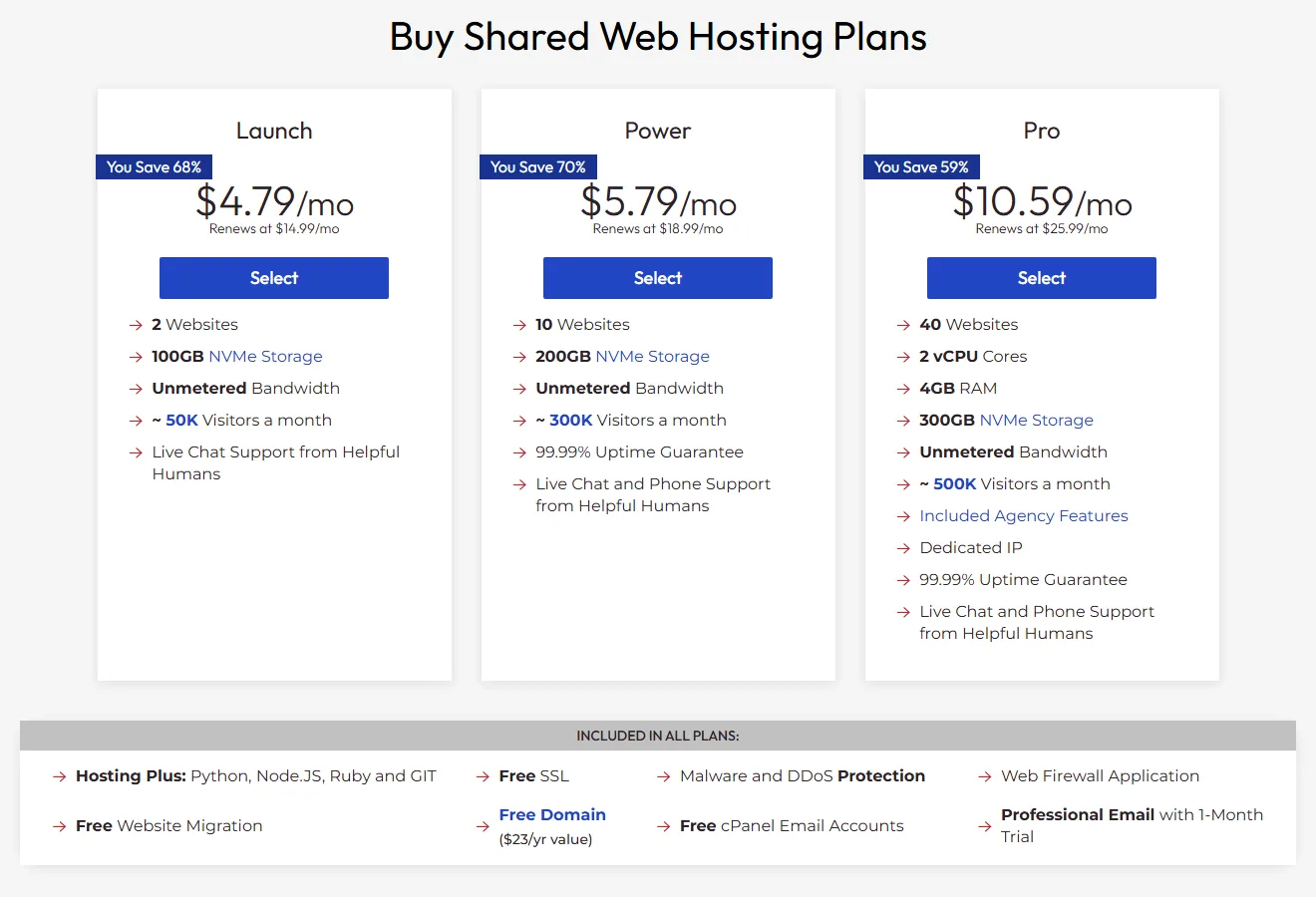
InMotion’s Launch plan is $4.79 a month and renews at $14.99. Power is $5.79 renewing at $18.99. It costs more than the budget hosts but states a 90 day money-back guarantee and says every plan includes a free domain, SSL, email and migration.
- SSL: free on every plan. We could not confirm wildcard support or any paid SSL price from the official pages.
- Fine print: the free domain applies on select terms only.
See our InMotion Hosting review. View InMotion plans.
9. Cloudways: best when you want room to grow
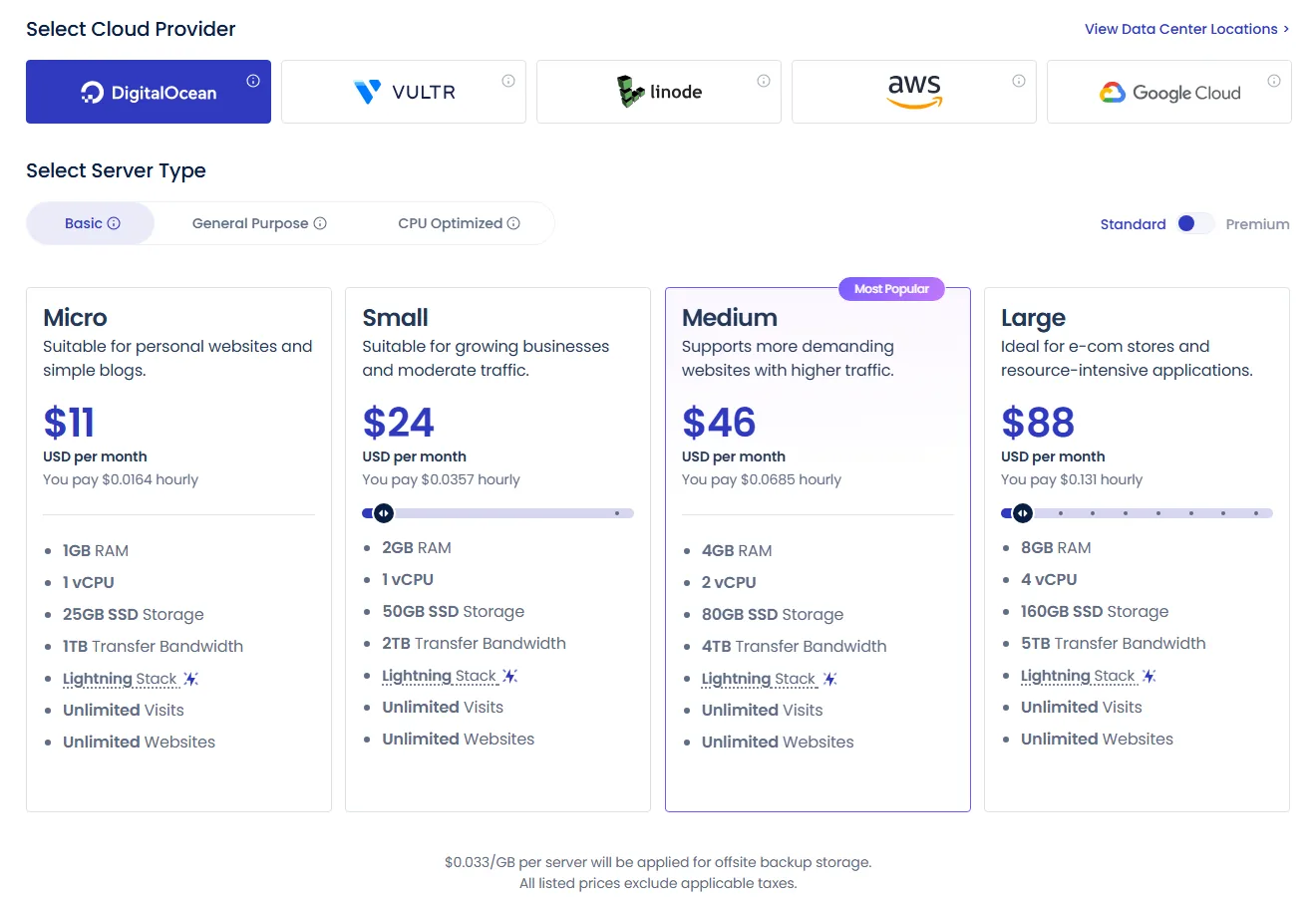
Cloudways is not shared hosting. It is managed cloud on top of providers such as DigitalOcean and Vultr, with plans from $11 a month, billed by usage with no lock-in. A 5 day free trial needs no card.
- SSL: free Let’s Encrypt SSL is built in. Our guide to pointing a domain and installing SSL on Cloudways shows the clicks.
- Fine print: backups are mandatory and billed per GB, and bandwidth overage is billed at the underlying provider’s rate.
Details in our Cloudways review. Try Cloudways.
10. Namecheap: cheapest, but the SSL is free for one year only
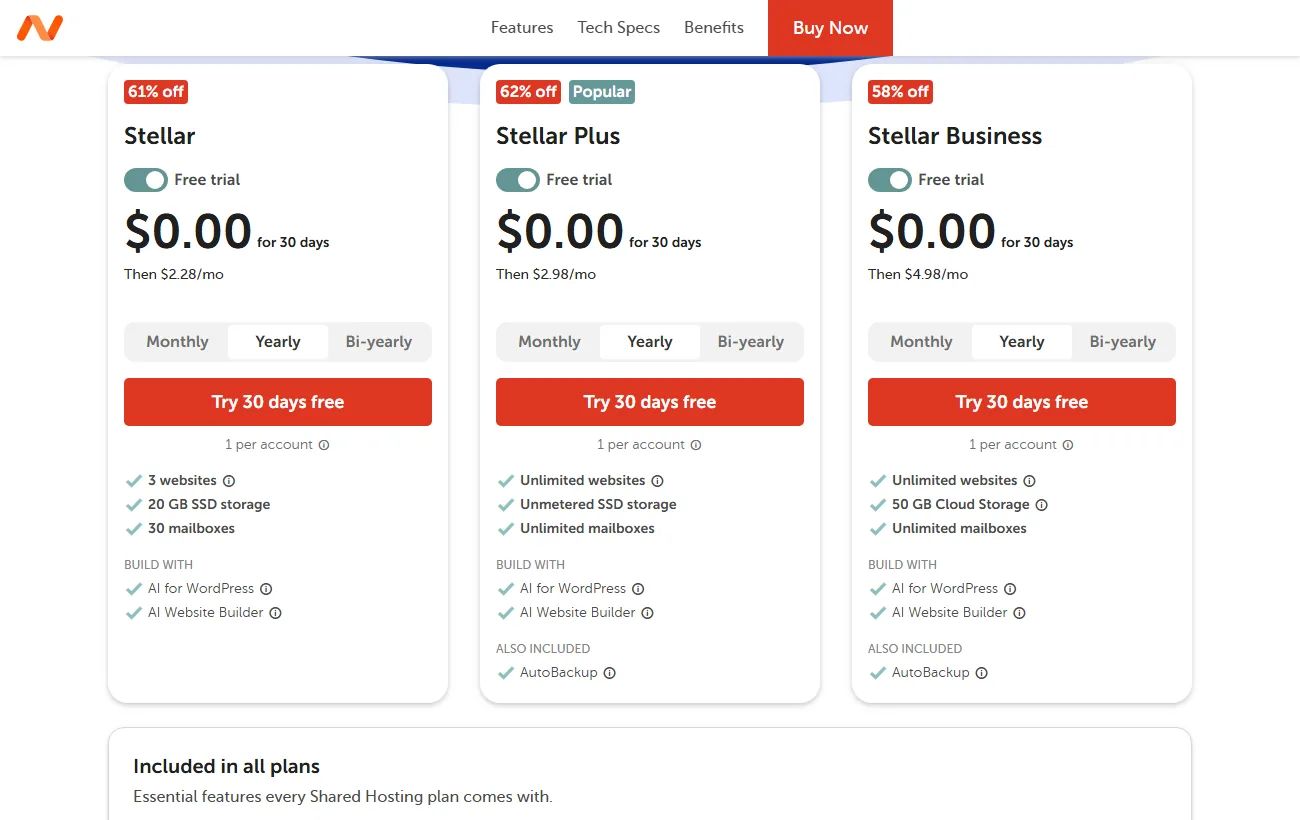
Namecheap’s Stellar plan is $2.28 a month on the yearly term after a 30 day free trial, then $5.88 a month. That is the lowest renewal on the list. The catch is SSL: you get a free PositiveSSL for the first year only, then it becomes a paid product.
- SSL: up to 50 free certificates per account for year one. It is not an auto-renewing AutoSSL certificate, so you must renew or switch.
- Good fit: short projects, tests and tight budgets. We could not confirm the paid renewal price of the certificate.
Read the Namecheap hosting review. View Namecheap plans.
Which host should you choose?
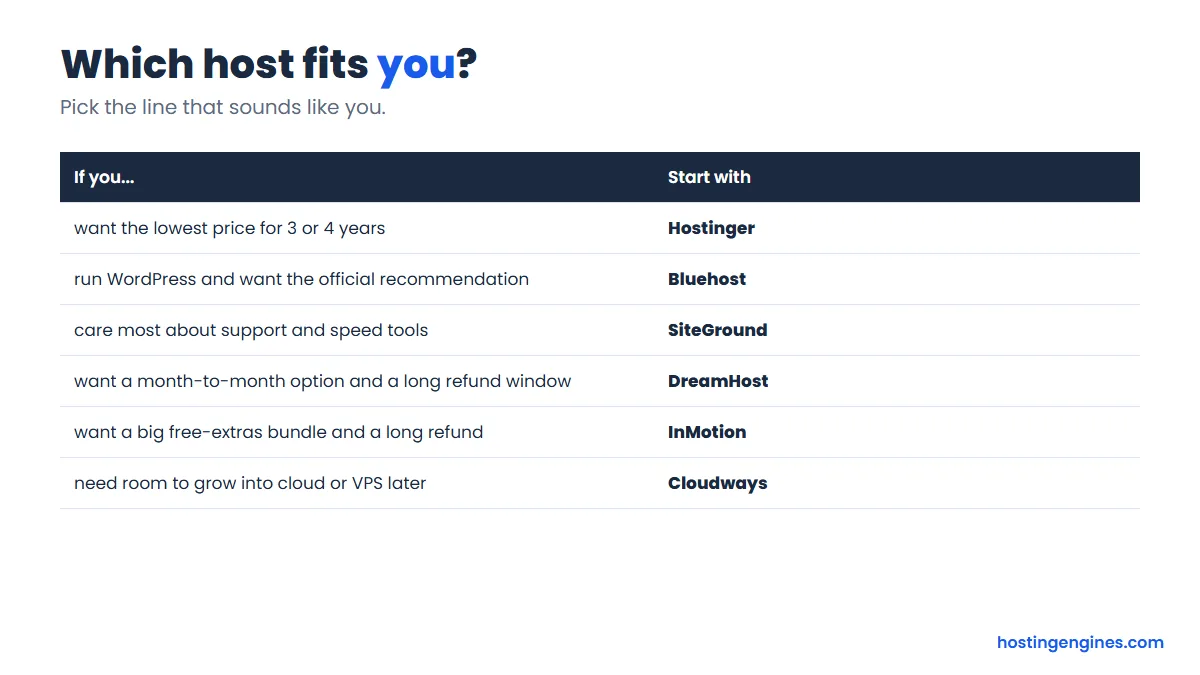
Pick on your situation, not on the padlock. If you want the cheapest multi-year deal, go with Hostinger. If you are building your first WordPress site, Bluehost or SiteGround. If you need subdomains covered by one certificate, ask ScalaHosting for the free wildcard.
One more rule of thumb. If you will host more than a few sites or expect real traffic, compare shared plans against managed cloud before you commit to a 4 year term. Our guide to the types of web hosting explains the step up.
How do you check that your SSL works?
Open your site in a private browser window, confirm the padlock, then type http:// in front of your domain and check that it jumps to https://. Test both the www and non-www versions. A free SSL Labs test gives a grade in about a minute.
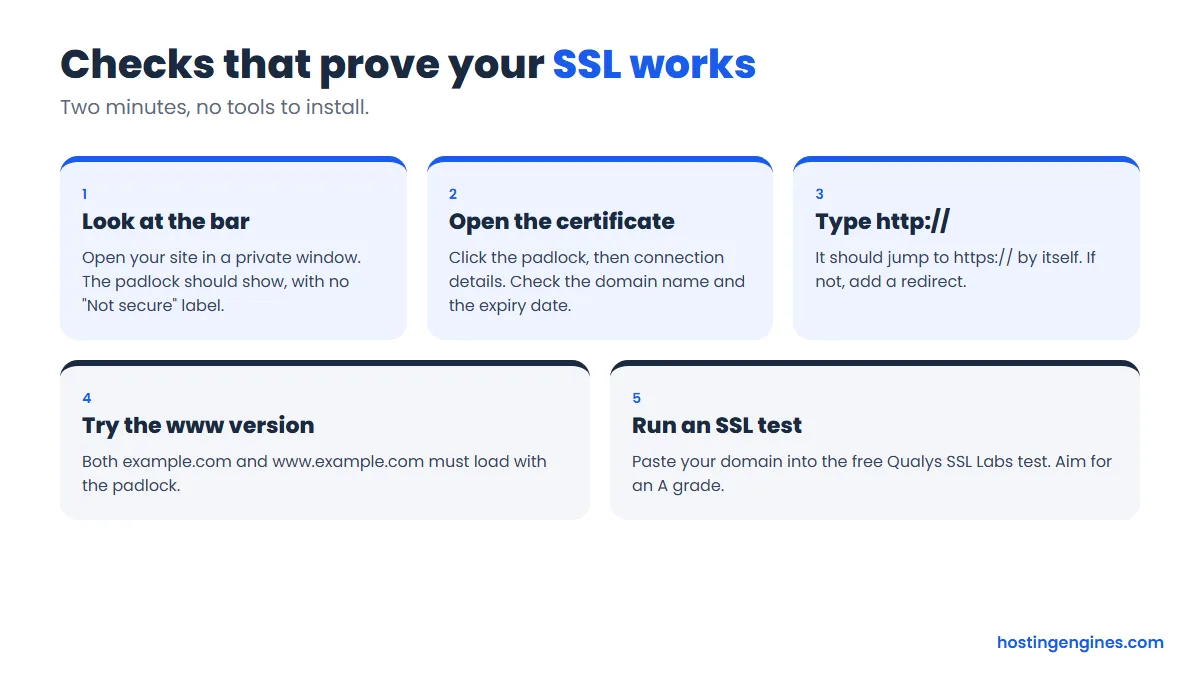
- Click the padlock, open the certificate details, and read the “valid to” date. A healthy free certificate shows 90 days or less ahead.
- Paste your domain into the Qualys SSL Labs test. An A grade is what you want.
- If your host offers a “force HTTPS” switch, turn it on so every old link redirects.
Padlock missing after you enabled SSL?
The usual cause is mixed content: the certificate is fine, but one image, font or script still loads over http://. Open your browser console with F12 and look for “Mixed Content” warnings. They name the exact file to fix.
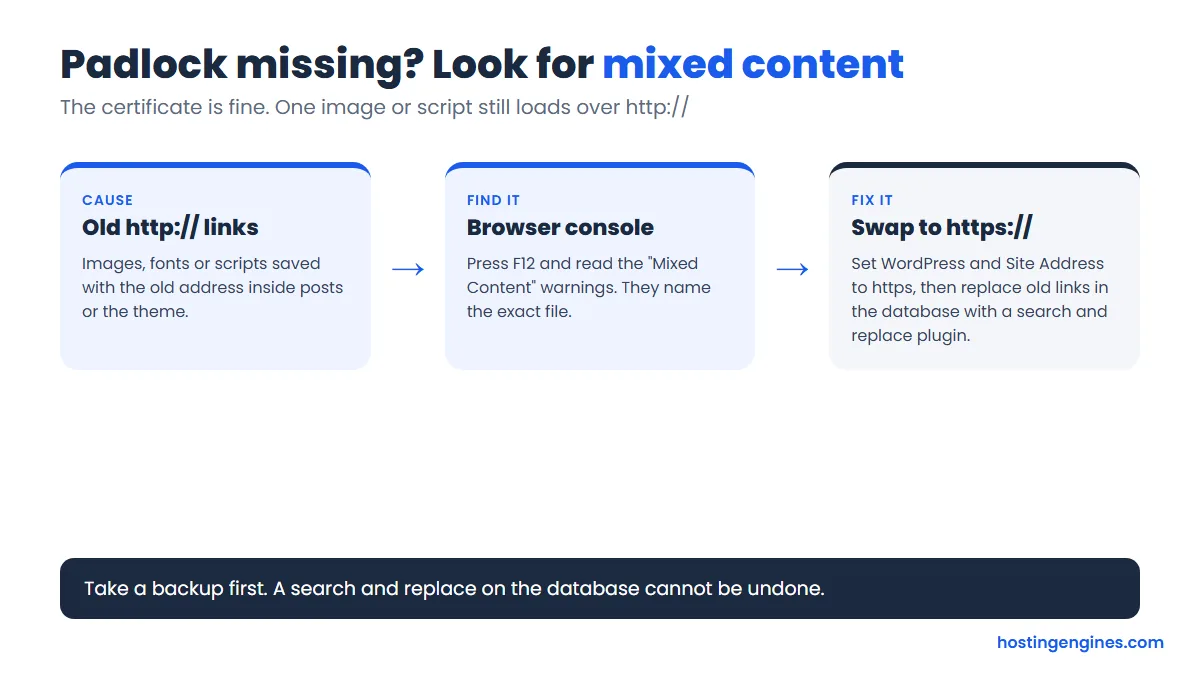
In WordPress, set both the WordPress Address and Site Address to https, then run a search and replace on the database for old http:// links. Take a backup first.
FAQ
Is free SSL really free?
Yes at every host in our list except one condition: Namecheap’s certificate is free for the first year only. At the others the certificate stays free for as long as you host there. Check the plan page for any paid add-ons such as wildcard or warranty certificates.
Does free SSL affect SEO?
A free certificate gives the same HTTPS benefit as a paid one, because Google cannot tell the difference. HTTPS is a light ranking signal, so having it matters more for visitor trust and avoiding browser warnings than for rankings alone.
Do I get free SSL for subdomains?
It depends. A standard certificate covers one hostname, so each subdomain needs its own. A wildcard covers them all. SiteGround lists a free wildcard, ScalaHosting gives one on request, and DreamHost does not offer wildcard on shared hosting.
Why does my site say Not secure after I enabled SSL?
Most often a page still loads an image or script over http://, which is called mixed content, or your site address in WordPress is still set to http. Fix the links, set a force HTTPS redirect and clear your cache.
Can I use Cloudflare instead of my host’s SSL?
Yes. Cloudflare’s free plan can issue SSL between visitors and its network. For full protection you still want a valid certificate on your host too, so use the Full or Full (strict) mode.
Which paid SSL do I need, if any?
Most blogs and shops need none. Consider paid OV or EV certificates only if you want your company name verified in the certificate, a warranty, or your payment partner requires it. Prices and rules vary, so ask your host before buying elsewhere.
Bottom line
Free SSL is the baseline now, so ignore it as a selling point and look at renewal prices and fine print. Hostinger is the best value if you can commit, Bluehost and SiteGround are the easiest for WordPress, and Cloudways is the move once a site outgrows shared hosting.
Next step: open the review of the host you like best, then read our step-by-step guide to choosing a web host before you pay.