
Not sure which host to pick? This free web hosting quiz asks you 7 quick questions and shows your 3 best matching hosts, with the reason behind each pick. No sign-up needed.
Find the right web host for your website
Answer 7 quick questions (under a minute) and get your 3 best matches, with the reason behind each pick.
How to use the web hosting quiz
- Click Start the quiz.
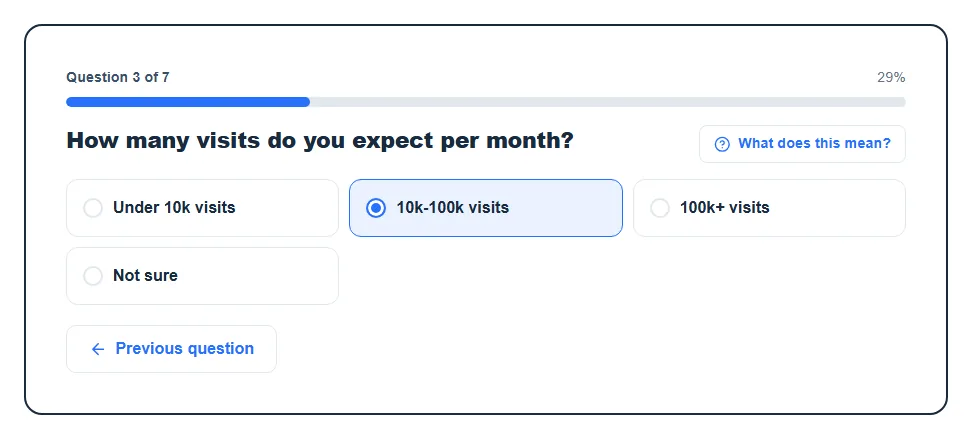
- Answer each question by clicking one option. Stuck on a term? Click What does this mean? for a plain explanation.
- Changed your mind? Use Previous question to go back. Your answers are kept.
- After the last question, your 3 matches appear. You can Change answers, Start over, or email the results to yourself.
The whole thing takes under a minute. If you honestly don’t know an answer, pick “Not sure” or “No preference”. Those answers don’t push the results in any direction, so they won’t skew your matches.
The 7 questions and why they matter
Every host in our list is tagged with its real strengths, like “Beginner-friendly” or “Handles high traffic”. Your answers are matched against those tags. Some questions count more than others, because they change the right choice more.
| Question | What it checks | Weight |
|---|---|---|
| What kind of hosting are you looking for? | Shared, VPS or dedicated server | Highest |
| What is your monthly hosting budget? | Budget-friendly, mid-range or premium plans | High |
| How technical are you? | Beginner-friendly, intermediate or for developers | High |
| What type of website are you building? | Blogs, online stores or business sites | Normal |
| How many visits do you expect per month? | Handles medium or high traffic | Normal |
| How important is customer support to you? | Strong support or self-managed | Normal |
| Do you need any specific features? | One-click installs, SSL and backups | Normal |
So if you say you want a VPS, a shared-only host will drop down the list fast, even if it’s cheap. Not sure about that question? Our guide on shared hosting vs. VPS hosting explains the difference in a few minutes.
How to read your results
You get 3 host cards. Here’s what each part means:
- Best match: the host that scored highest for your answers.
- Our top pick: we have one featured host. If it scores close to the best match (at least 70% of its score), we may show it first and label it “Our top pick” instead. It never jumps ahead of a host that suits you much better.
- Option 2 and Option 3: the next best scores. Worth a look if the first one doesn’t feel right.
- % match: how much of what you asked for this host covers. 100% means it has every strength your answers called for. If you answered “Not sure” to everything, there’s nothing to measure, so no percentage shows.
- Strength tags: the exact strengths that matched your answers, such as “Budget-friendly” or “Strong support”.
- The short explanation: a sentence or two, written by AI, on why this host fits what you told us. There may also be one line of overall advice above the cards. The AI only explains the picks. It doesn’t choose them, and it’s told not to invent prices or features.
- Read our review / Visit: open our full review of that host, or go to the host’s site.
A quick heads-up: the Visit buttons are affiliate links. If you buy through them we may earn a commission, at no extra cost to you. You can read how that works on our affiliate disclosure page.
Before you buy
A quiz narrows the field. It can’t see your exact plan or this week’s price. Before you pay, check these on the host’s own site:
- The renewal price, not just the first-term deal.
- Whether the plan you picked actually includes free SSL, backups and email.
- The refund window, in case it doesn’t work out.
- Where the servers are, compared to where your visitors live.
Want the full checklist? See what to look for in a web hosting service. And if you haven’t picked a name yet, run it through our domain availability checker first.
FAQ
Is HostMatch free?
Yes, it’s completely free and you don’t need an account. You only type an email address if you want your results sent to you.
Which web hosting is best for a beginner?
For most beginners, shared hosting from a host with an easy control panel and live chat support is the best start. It’s the cheapest option, one-click WordPress installs make setup simple, and you can upgrade later. Pick “Beginner” and “Shared hosting” in the quiz and you’ll see the hosts that fit that best.
Do I need shared hosting or a VPS?
Start with shared hosting unless your site already gets a lot of traffic or you need full server control. A VPS gives you reserved resources and more power, but you (or the host) have to manage more of the server. If you can’t decide, answer “Not sure” and let the other answers steer the results.
How does HostMatch choose the hosts?
It scores every host in our list against your answers using fixed rules, then shows the 3 highest scores. Each host’s strengths are set by our team, so the same answers always give the same picks. AI is only used afterwards to write the short explanation for each pick.
Are the recommendations sponsored?
The ranking isn’t for sale, but we do earn commissions from some hosts and we have one featured host. That featured host can only move to the top when it’s already a close match for you, and it’s clearly labeled “Our top pick” when that happens.
Can I save my results?
Yes. Under your matches, use Email my results and we’ll send the 3 picks, with links, to your inbox. If it doesn’t show up, check your spam folder.