
DigitalOcean is one of the well-known cloud hosting providers for its high-performance and reliable web hosting solutions.
In this review, I will cover everything you might want to know about DigitalOcean so you get a better idea of whether it’s a good choice for you.
What Is DigitalOcean?
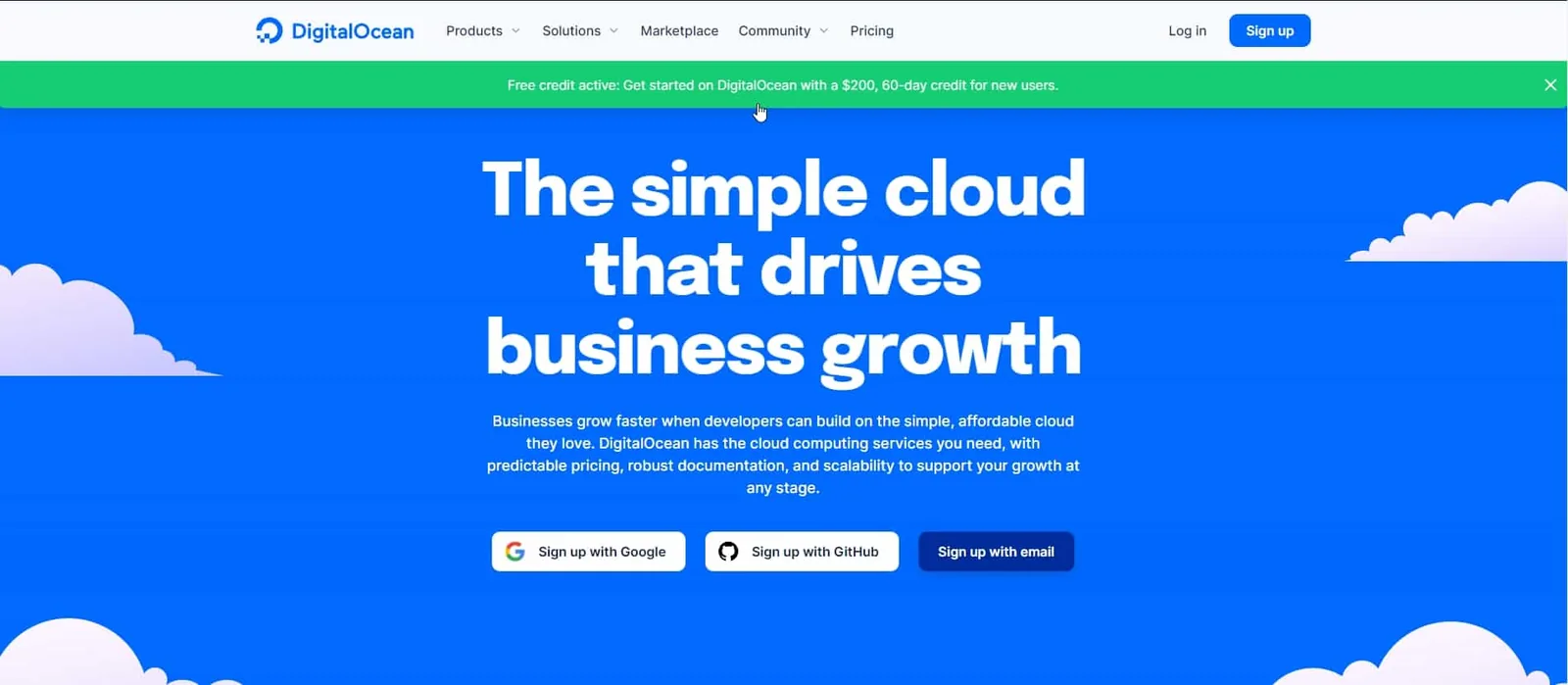
DigitalOcean is a leading cloud computing company that provides cloud web and application hosting infrastructure.

It is one of the best and most famous cloud hosting providers around the globe. It offers many products, including Droplets, which are cloud VPS servers where you can host websites and apps.
DigitalOcean focuses on providing developer-friendly platforms. However, it also provides an easy interface so beginners can manage it.
What is DigitalOcean Best For?
DigitalOcean offers cloud computing services for developers, startups, and small and medium-sized businesses. It’s best for:
- Developers who want to build their apps on a strong and reliable web hosting platform.
- Resellers “freelancers” who want to build multiple websites on a platform that makes deploying servers and apps an easy task to do, at the same time at affordable prices.
- Website owners who grew their website traffic and want to upgrade their website hosting service
- Website owners who want to start their business on a reliable web hosting service for great performance.
- Beginners who are willing to learn how to host and install apps on a cloud computing service.
DigitalOcean Pros and Cons
Pros:
- Cloud hosting solutions.
- Pay-as-you-go billing (per second since January 2026, capped at the monthly price).
- Low-priced plans.
- Reliable hosting services.
- Fast loading time.
- 99.99% uptime SLA on Droplets.
Cons:
- No phone support, and live chat only comes with the paid Standard ($99/mo) or Premium support plans.
- No domain registration option.
DigitalOcean Plans and Pricing
DigitalOcean provides many products including Droplets, App Platform, Spaces Object Storage, Volumes, and more.
The main one is Droplets: cloud VPS servers that share physical machines but get their own allocated resources. The prices start at $4 per month.
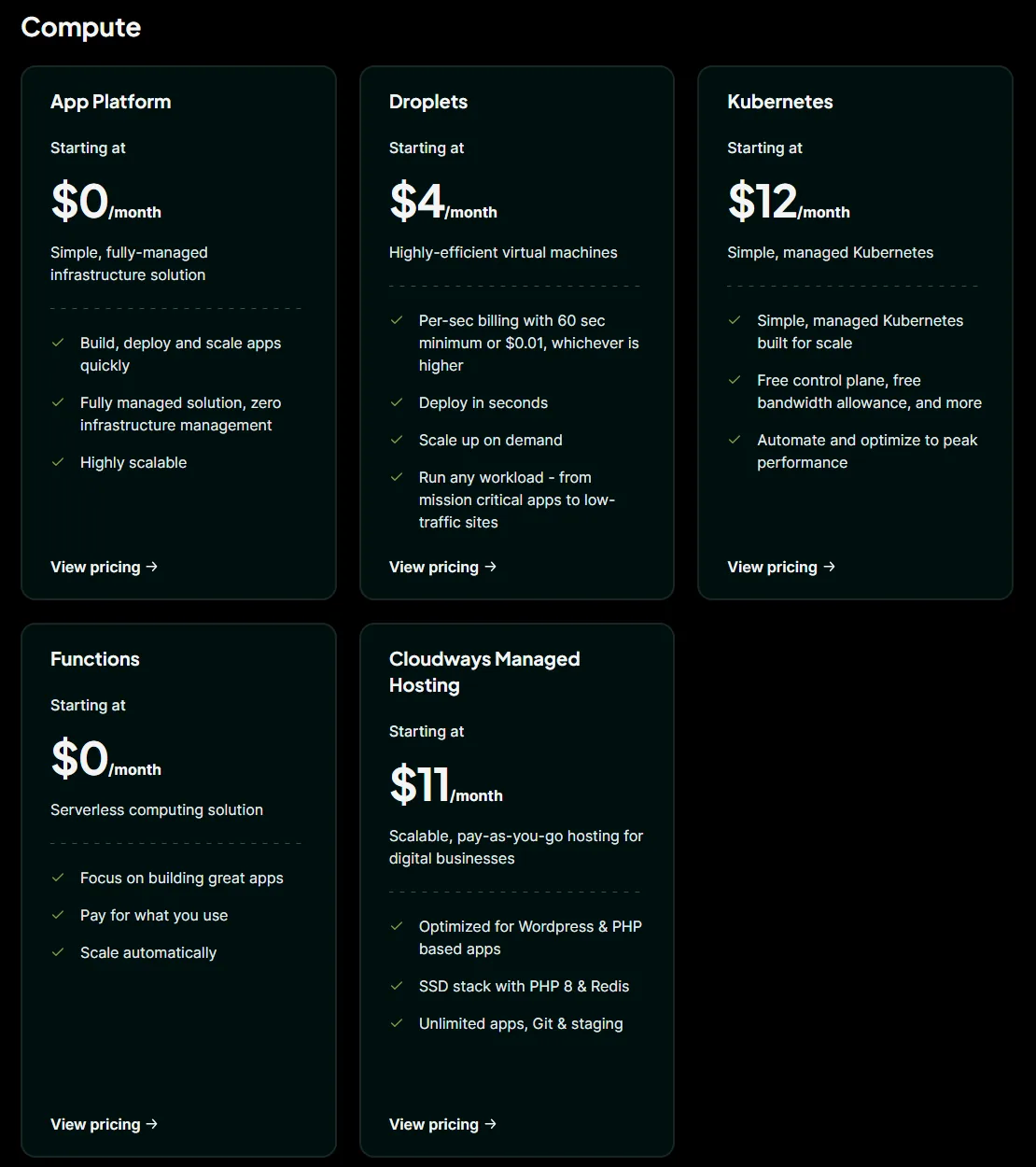
DigitalOcean droplets plans and pricing:
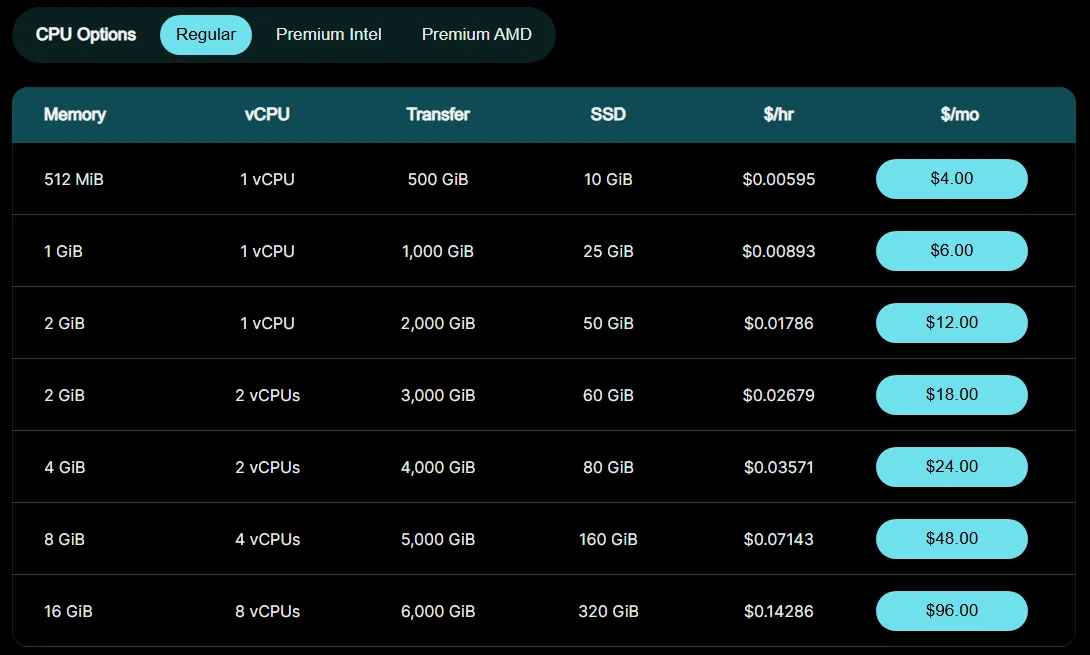
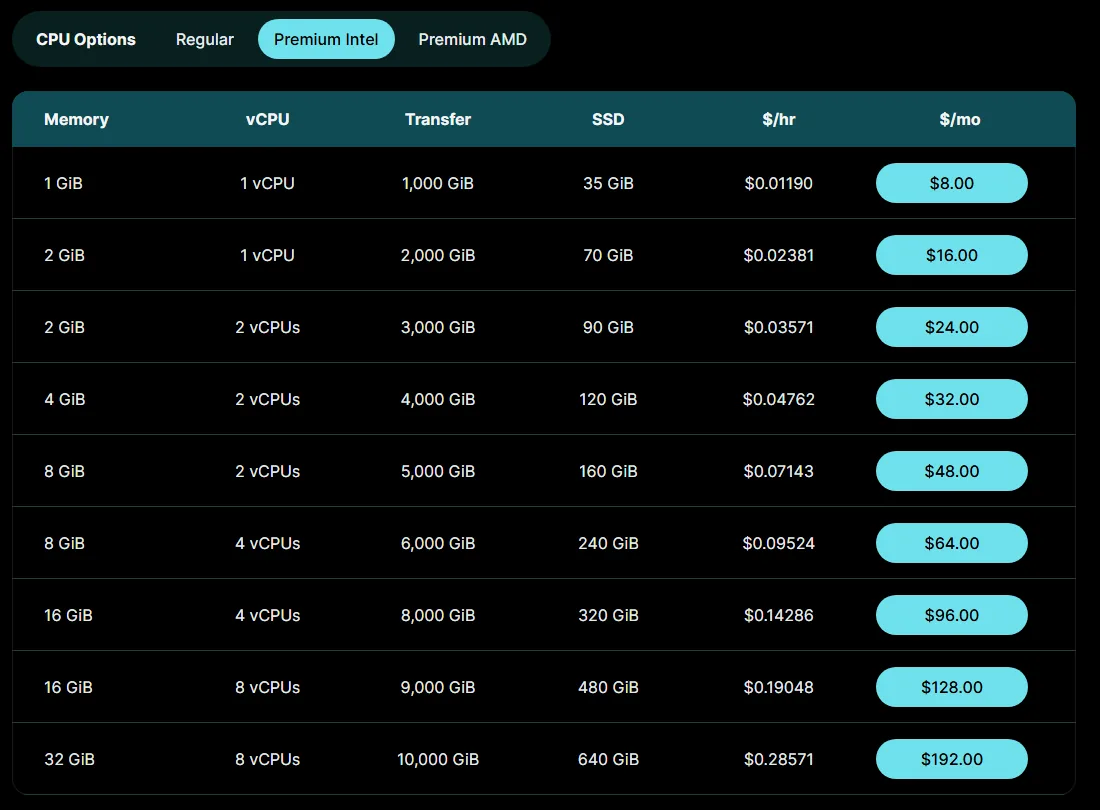
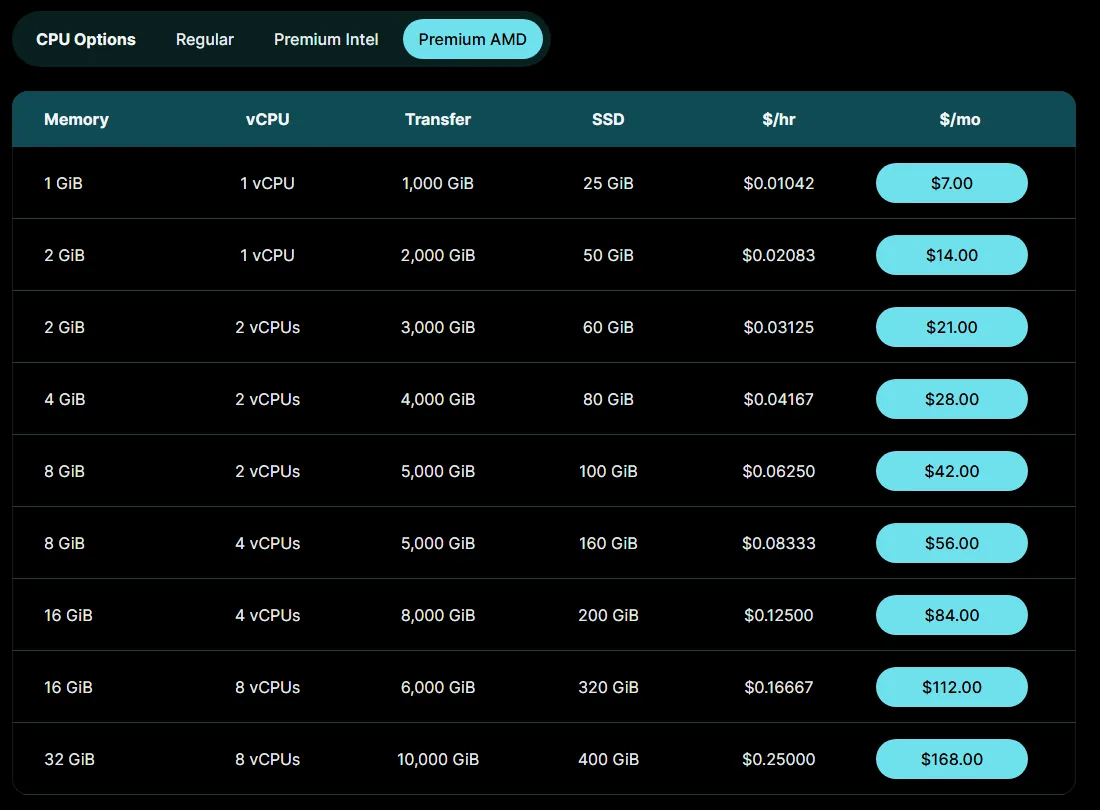
Basic Droplets come with three CPU options: Regular, Premium Intel, and Premium AMD.
- Regular Droplets host your applications on a standard CPU and regular SSD disk. Prices start at $4/month.
- Premium Intel Droplets run on newer Intel Xeon CPUs with faster NVMe SSD storage. Prices start at $8/month (1 GB RAM, 35 GB NVMe).
- Premium AMD Droplets run on newer AMD EPYC CPUs with faster NVMe SSD storage. Prices start at $7/month (1 GB RAM, 25 GB NVMe).
DigitalOcean Performance
Your website needs to perform well. Otherwise, you may run into real problems with user experience and SEO.
DigitalOcean Uptime:
Uptime is essential. It’s one of the main things you should look at when you sign up for a web host.
With a poor uptime server, your website will go down and the visitors can’t access it. This issue will affect your website user experience, as well as your ranking on search results.
DigitalOcean backs Droplets with a 99.99% monthly uptime SLA, which is very good. If it misses that, you can ask support for service credits.
Loading speed:
When visitors visit your website and find that it takes a while to open a page, they will leave. Also, faster sites have a bigger chance to rank higher on search results than slower websites.
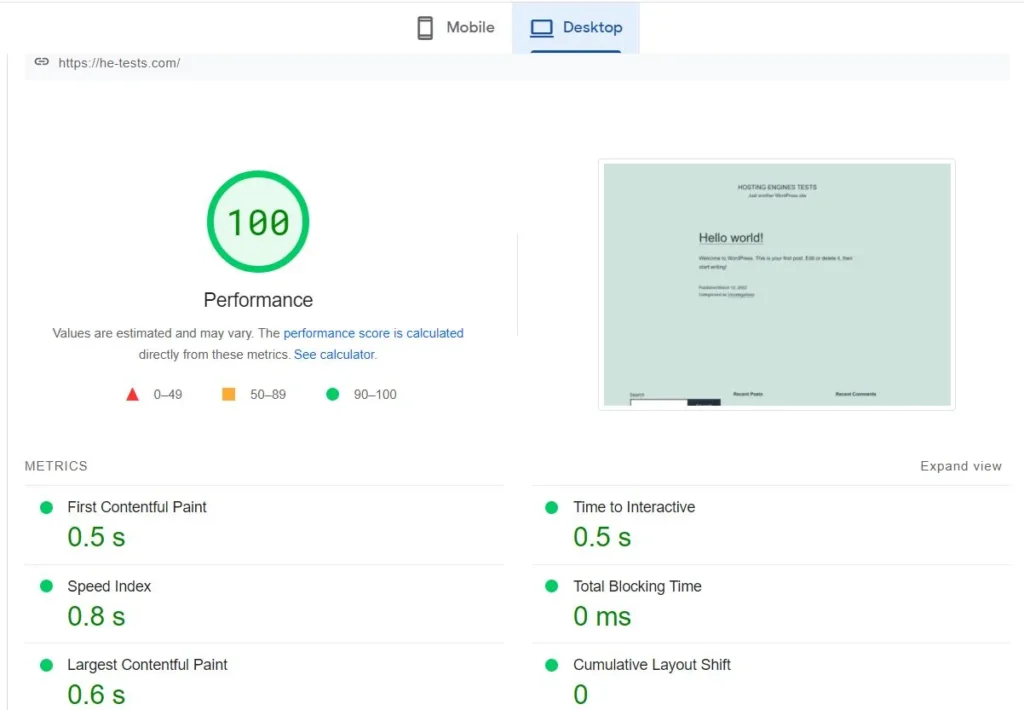
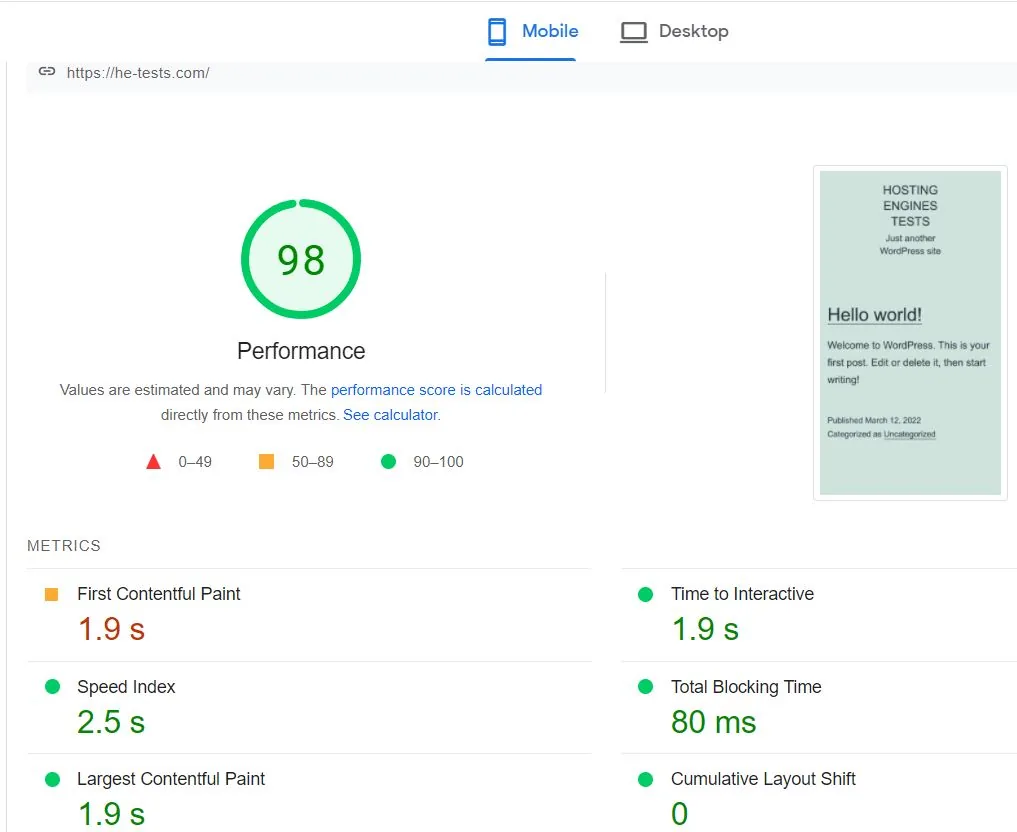
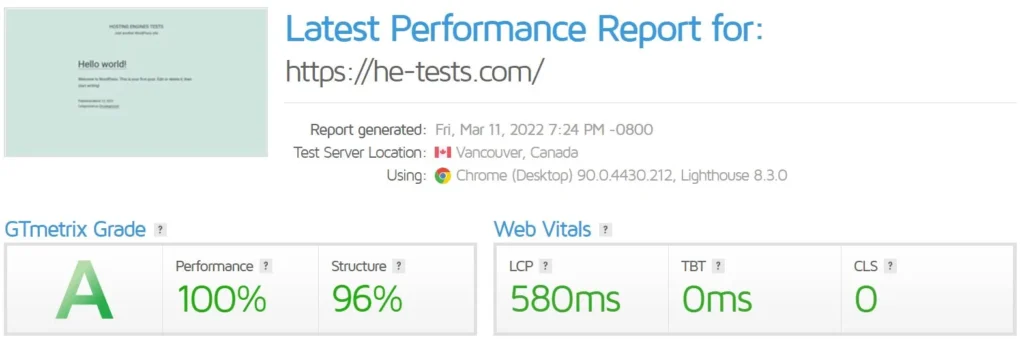
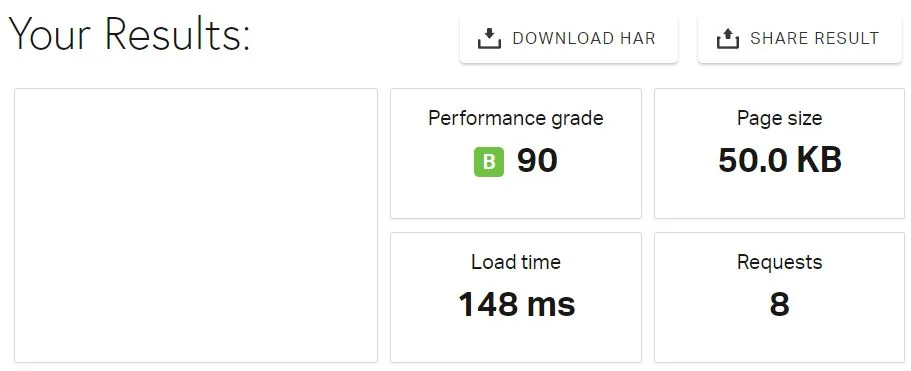
We put DigitalOcean droplets through speed tests in our earlier review, and the loading speed results were very good. Here’s what we got.
- Google PageSpeed Insights desktop result:
- Google PageSpeed Insights mobile result:
- GTmetrix speed result:
- Pingdom Speed result:
Server locations:
Data takes time to travel. The farther your data center is from your visitors, the longer each request takes. The extra delay is usually well under a second, but it adds up.
DigitalOcean now lists 16 data centers in 8 countries for Droplets:
- New York City, United States: Three data centers.
- San Francisco, United States: Two data centers.
- Amsterdam, the Netherlands: One data center (the older AMS2 no longer takes new Droplets).
- Singapore: One data center.
- London, United Kingdom: One data center.
- Frankfurt, Germany: One data center.
- Toronto, Canada: One data center.
- Bangalore, India: One data center.
- Sydney, Australia: One data center.
- Atlanta, Richmond, Kansas City and Memphis, United States: newer data centers with limited plan choices (mostly Premium CPUs or the newer v5 Droplets).
DigitalOcean Support
Because DigitalOcean focuses on providing a platform for developers and is a self-managed service, you will not get the support you want if you are an absolute beginner.
The free Starter support covers general questions (not customizing your server) through support tickets and email, with replies in under 24 hours. There’s no phone support on any plan, and live chat only comes with the paid Standard and Premium plans.
Paid support plans start at $24/month (Developer, replies in under 8 hours). Standard costs $99/month and adds 24/7 live chat with replies in under 2 hours, and Premium is $999/month.
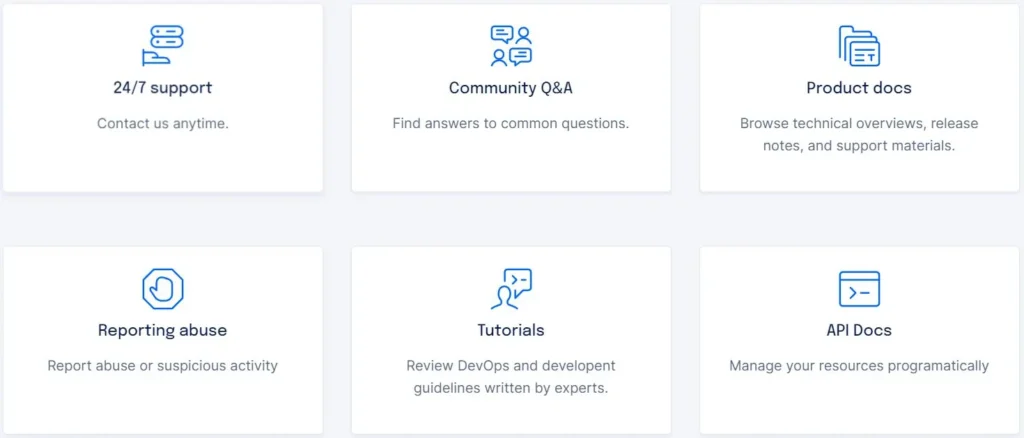
Nonetheless, DigitalOcean has a huge knowledge base, tutorials, and a big community that covers almost everything you may need to know.
DigitalOcean and WordPress Integration
DigitalOcean provides the WordPress application on their marketplace with one click installation.
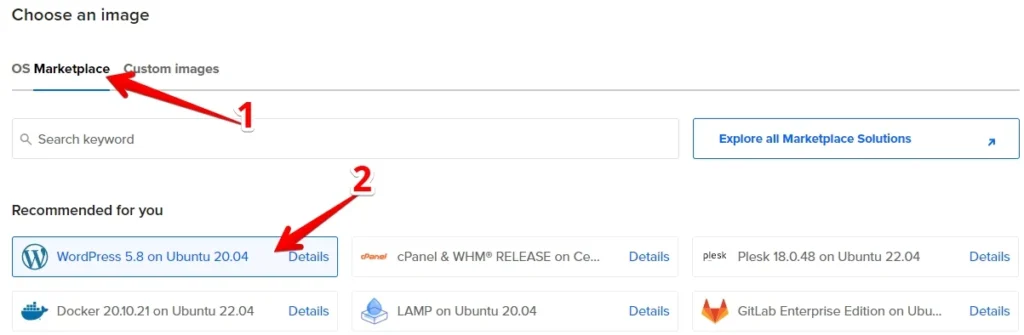
Installing WordPress on a DigitalOcean VPS server is an easy task to do. All you need to do is to create a droplet and install WordPress on it, then configure WordPress to add the domain name, username and password, and the SSL certificate.
Additional DigitalOcean Features
1. Backups:
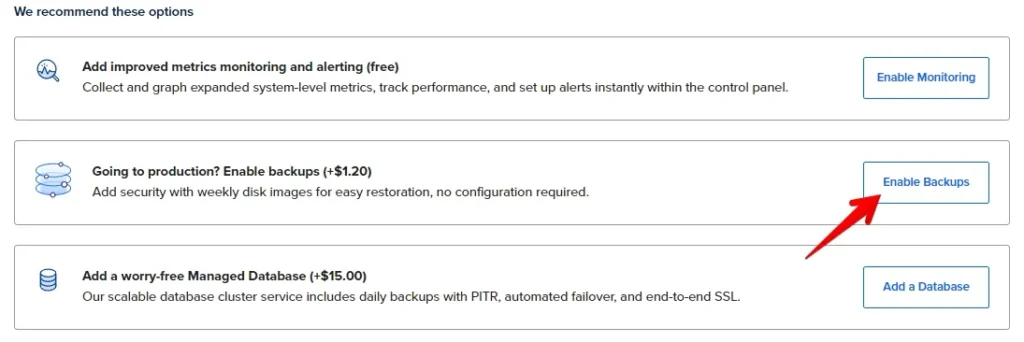
Backups on DigitalOcean are automatic disk images of your Droplets. You can choose weekly or daily backups, and there are also usage-based plans that back up as often as every 4 hours.
Weekly backups add 20% to the cost of the Droplet, and daily backups add 30%. So if your server costs $6/month, weekly backups bring it to $7.20 per month. Usage-based backups are charged per GiB instead (from $0.01 to $0.04 per GiB per month, depending on frequency).
2. Block Storage (Volumes):
DigitalOcean Block Storage or volumes are network-based block devices that provide additional data storage for Droplets.
You add a Volume to your server when you need more storage space but you are not in need of extra resources such as CPU and RAM.
Volumes cost $0.10 GiB per month and range from 1 GiB to 16 TiB. Also, volumes are independent resources, so you can move them between Droplets, but in the same data center.

3. Snapshots:
Snapshots are on-demand disk images of DigitalOcean Droplets and volumes saved to your account. They are basically a clone of a droplet or volume, they provide a full copy of a DigitalOcean Droplet or volume.
You can use Snapshots to create new droplets and volumes with the same files and data. They cost $0.06 per GB per month.
DigitalOcean Alternatives
Two cloud providers come up almost every time DigitalOcean is mentioned: Vultr and Linode.
- Vultr is a global cloud hosting solution that provides reliable and high-performance cloud servers. Read Vultr review.
- Linode is a US cloud hosting company that provides virtual private servers. Akamai bought it in 2022 and now sells it as part of Akamai’s cloud computing services (Akamai Cloud). Read Linode review.
Read the full comparison of DigitalOcean, Vultr, and Linode.
DigitalOcean Review: The Conclusion
DigitalOcean is one of the best cloud computing services with many features and products that you can use.
It offers cloud VPS servers with high performance and loading speed at reasonable prices.
We recommend DigitalOcean for developers and business owners who are comfortable managing a server, since it’s a reliable and fairly priced hosting platform.